
Assigning Tasks on the Mobile App
Updated 3/11/2026
Supervisor users (and above) have the ability to assign tasks to other users in the iReportSource mobile app and website. This document shows the steps for assigning a task through the mobile app. NOTE: Tasks can only be assigned to active users in the iReportSource system.
Log into the iReportSource mobile app
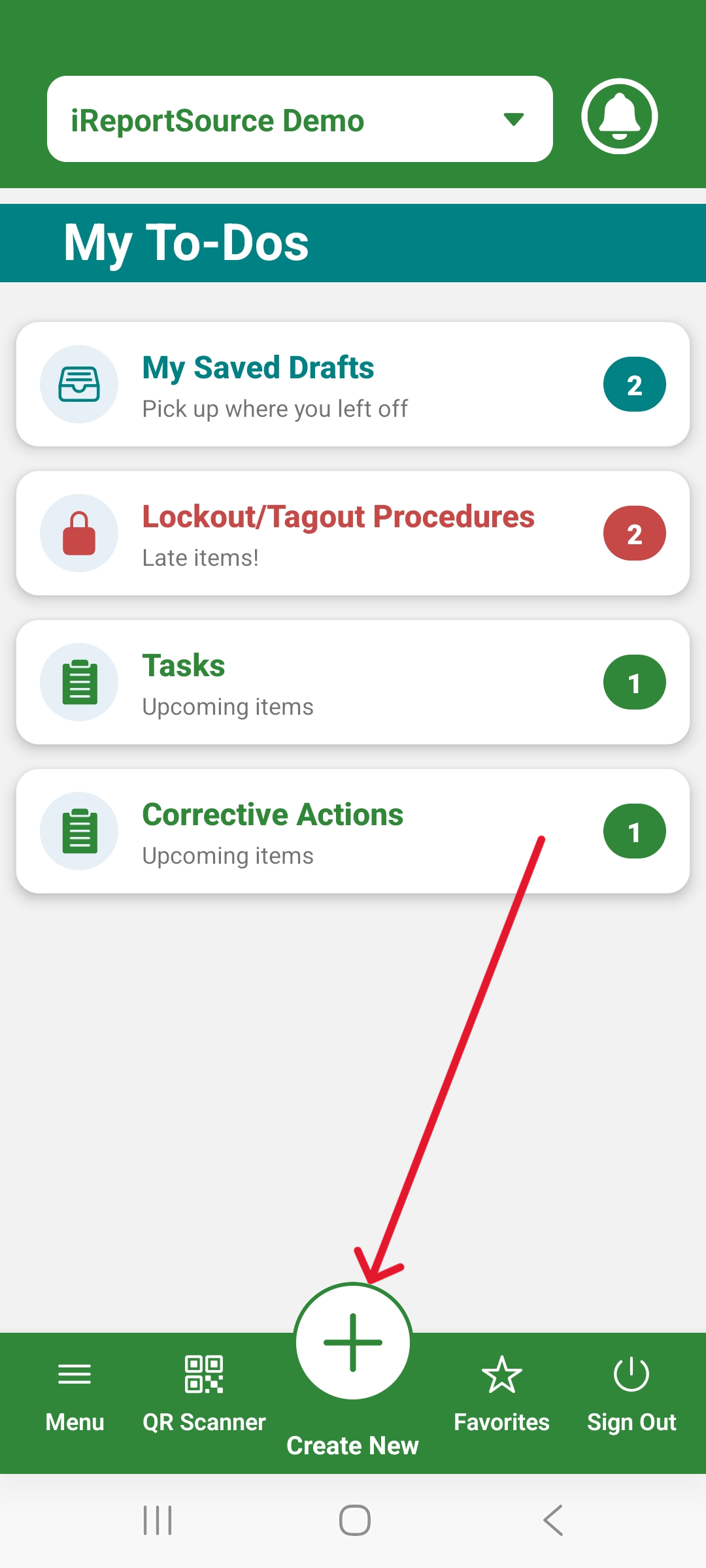
Click on the + icon. From here, click Assignment:
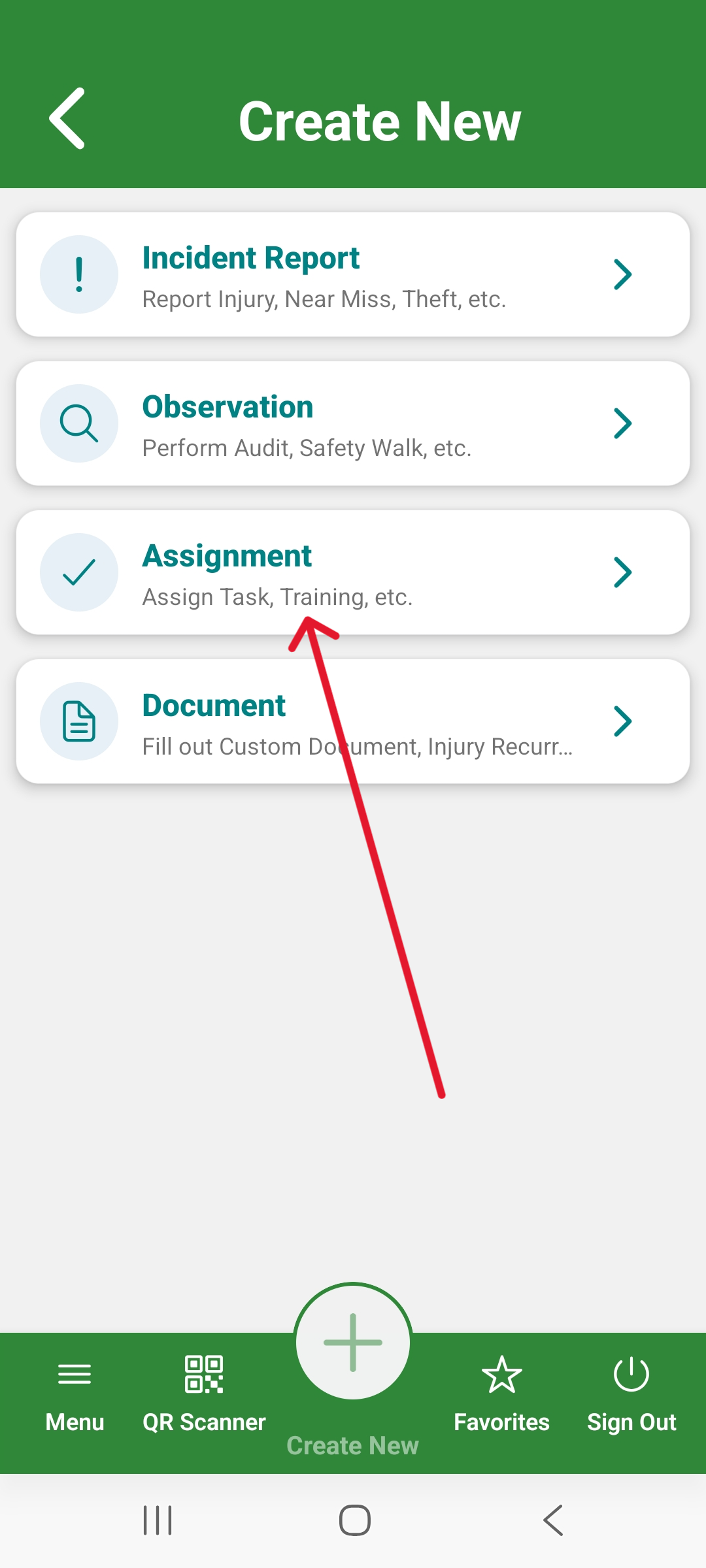
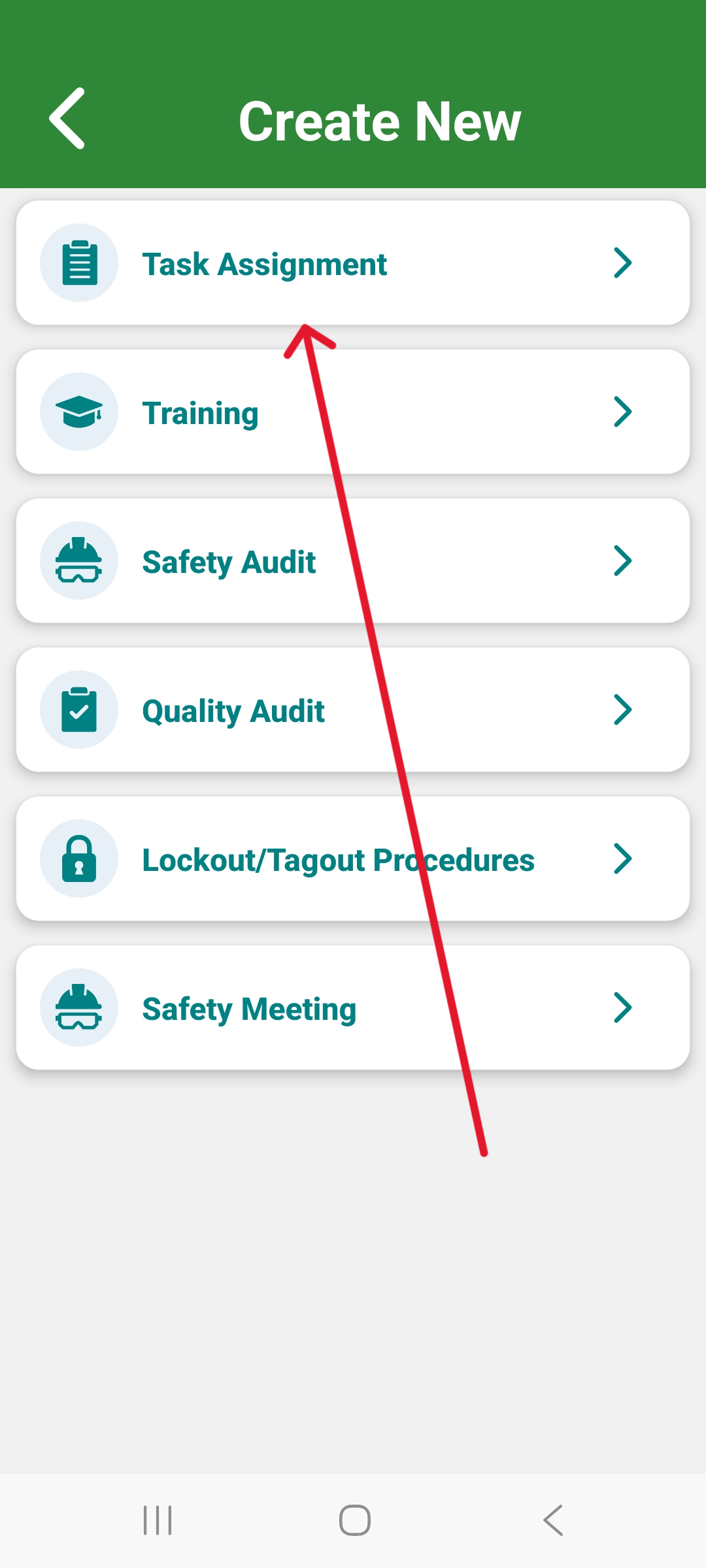
3. Choose to create a Task Assignment:
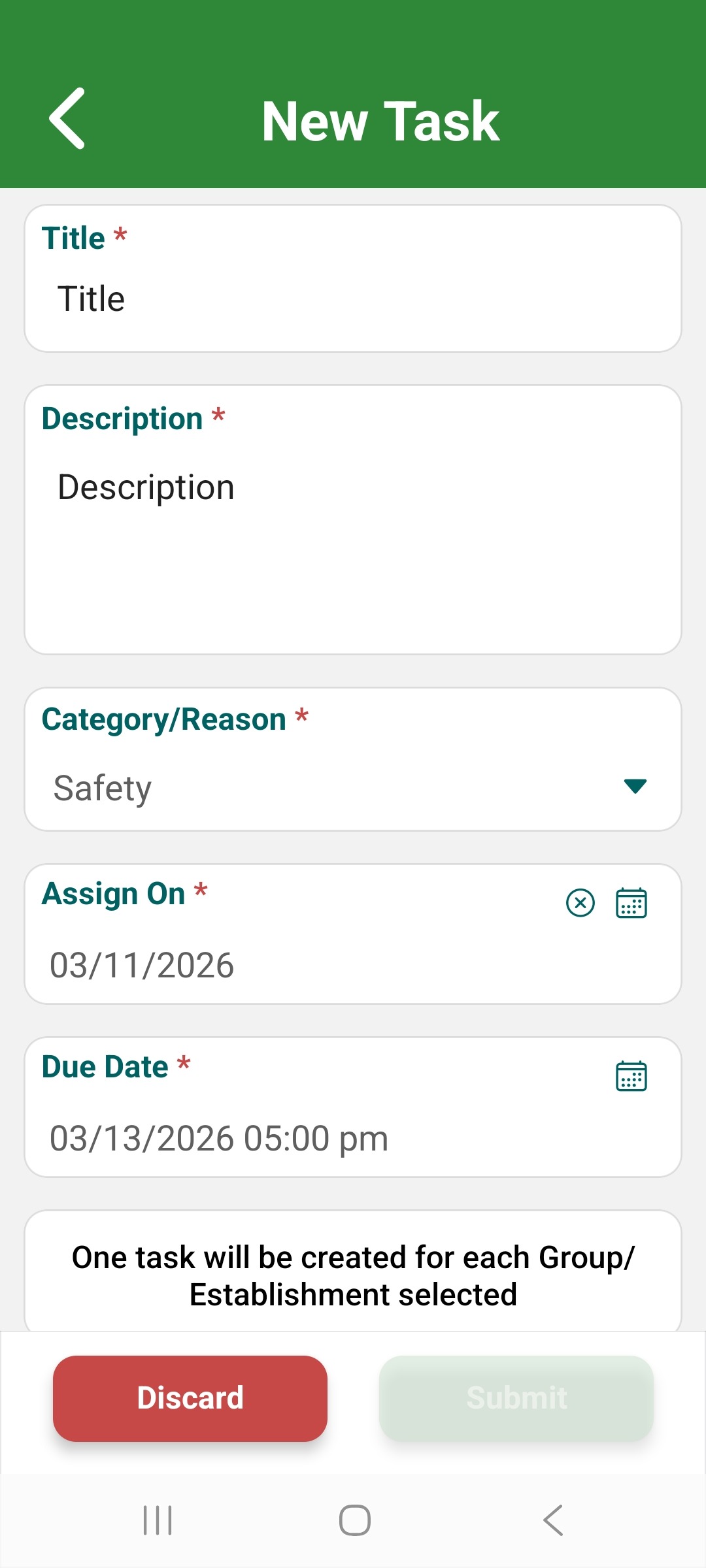
4. From here, simply fill out the required fields, give a due date and choose the assignee. You can assign to multiple assignees and upload photos to the task. When finished, click the Submit button:
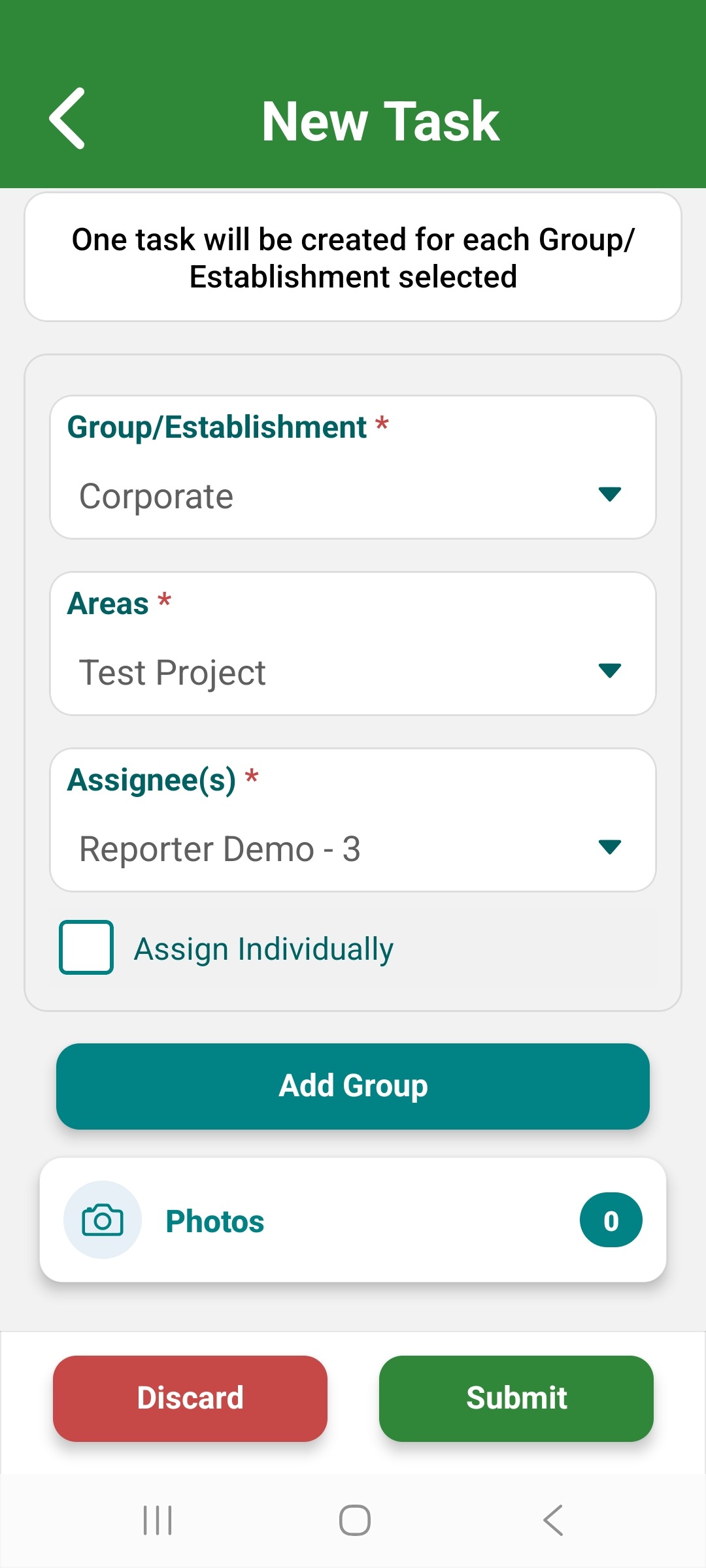
5. After you Submit the task, the assignee is notified they have been assigned a task and can see it on their dashboard after signing in on the web, or under Tasks if they sign in on the mobile app. You will be notified when a task you assigned has been updated. completed, is 24 hours from being past due, or goes past due without being marked completed.