
Adding Analytics Cards to the Home Page
Updated Aug 3, 2026·
MyAnalytics
Supervisor, Collaborator and Administrator users have the ability to add up to four analytics cards to their Home Page using these steps:
Log in at https://ireportapp.com/login
Enter your Home Page
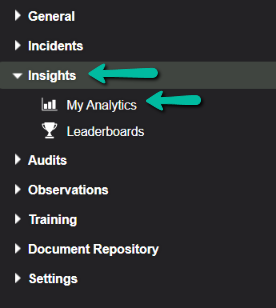
Click on Insights > MyAnalytics on the menu:
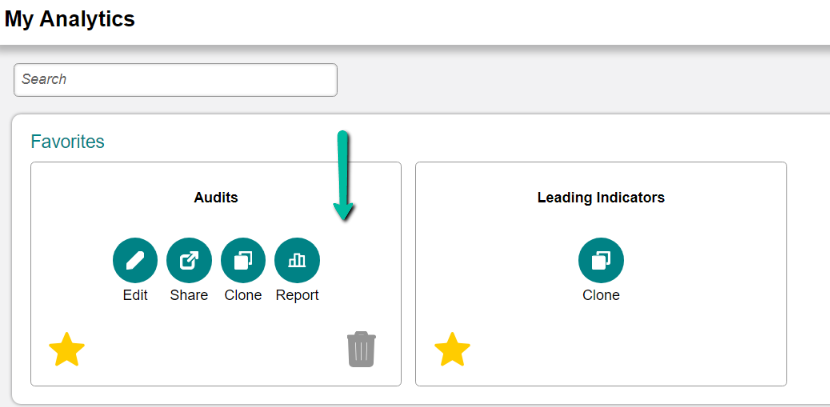
4. Enter the dashboard where the card(s) are housed (if you do not have a dashboard or card set up, see this article or reach out to Customer Success for help)
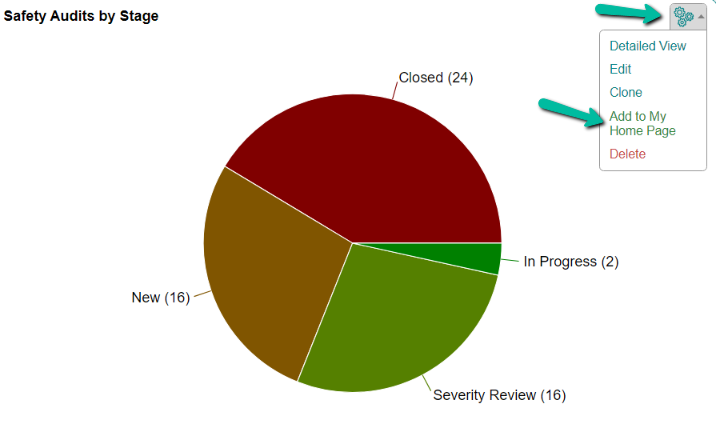
5. On the card you want to add to your Home Page, click the gear icon, then select Add to My Home Page:
6. Repeat Step 5 for up to three additional cards
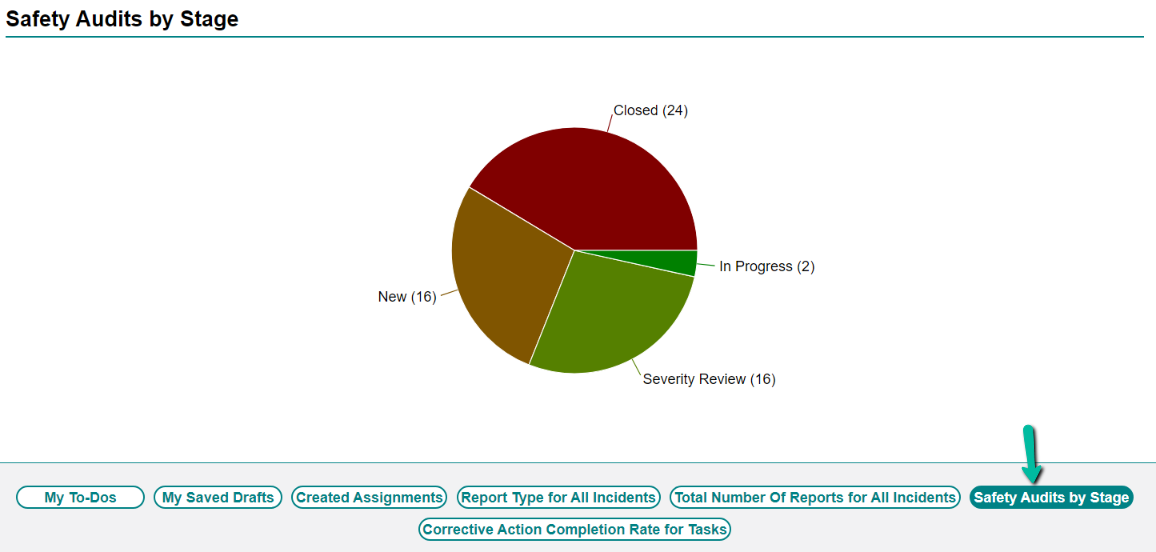
7. Return to your Home Page, and you will see the card titles as buttons on the same panel as your My To-Dos:
Was this article helpful?