
How to Clear App Cache & Data
Updated Aug 3, 2026·
Mobile App Setup
Android Devices
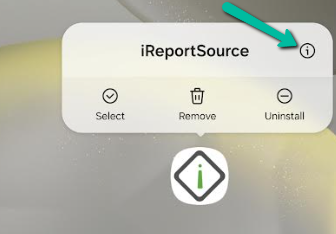
Tap and hold on the iReportSource App icon.
Tap the "i" icon that appears in the info bubble that appears:
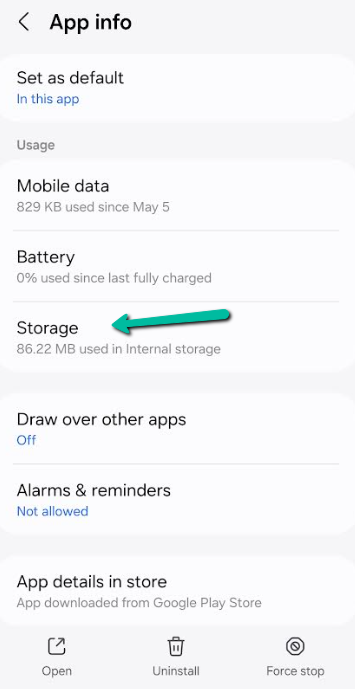
3. Select Storage from the App Info menu:
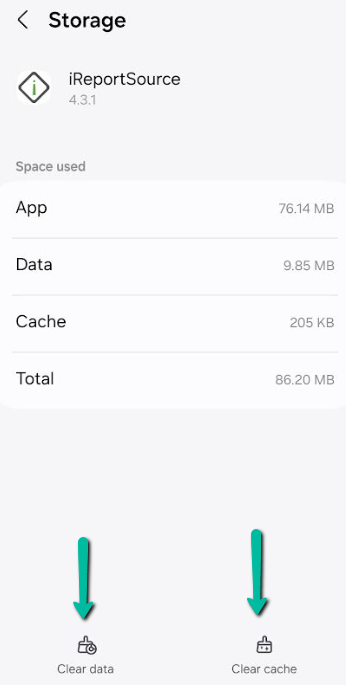
4. In the bottom select BOTH Clear Data and Clear Cache:
Apple/iOS Devices
Apple mobile devices do not have a method to clear app cache/data. The only way to clear cache is to do a quick uninstall/reinstall of the app. This clears all cache when the app is uninstalled, so you have a fresh install. This should address any issues that are cache-related.
Was this article helpful?