
Adding Report Types to an Existing Report
NOTE: Administrator, Collaborator and Supervisors (with access to the incident) can complete these steps:
Log in to iReportSource on the web at https://ireportapp.com/login
Access the Incident Report you need to update
Click on the incident owner drop-down in the top right corner and select Add Report Types:
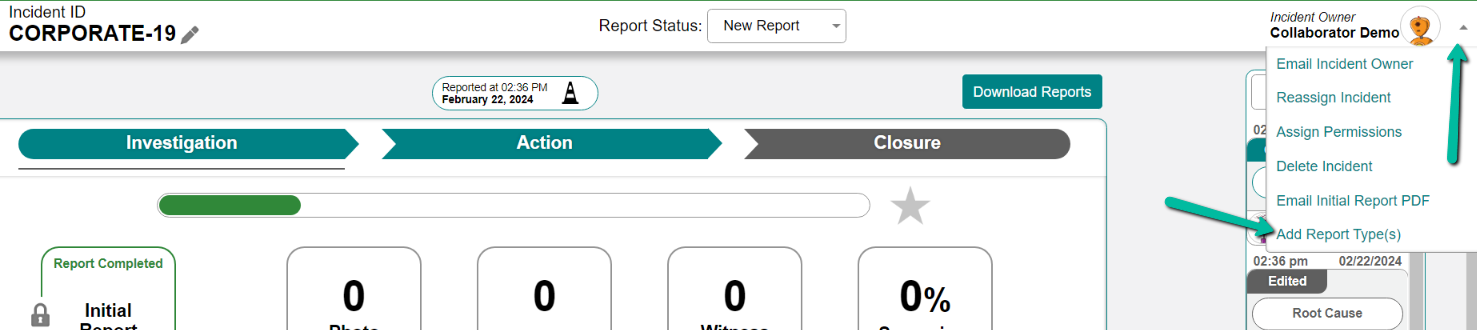
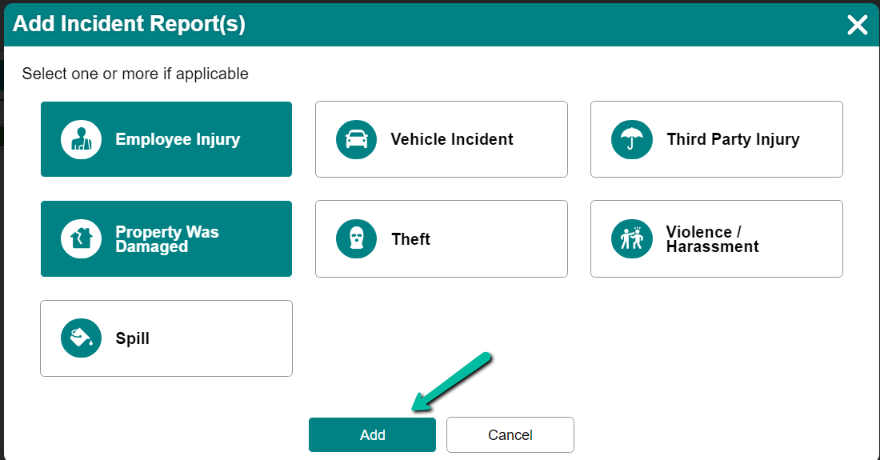
4. Select the report type(s) you need to add to the existing report, and click Add:
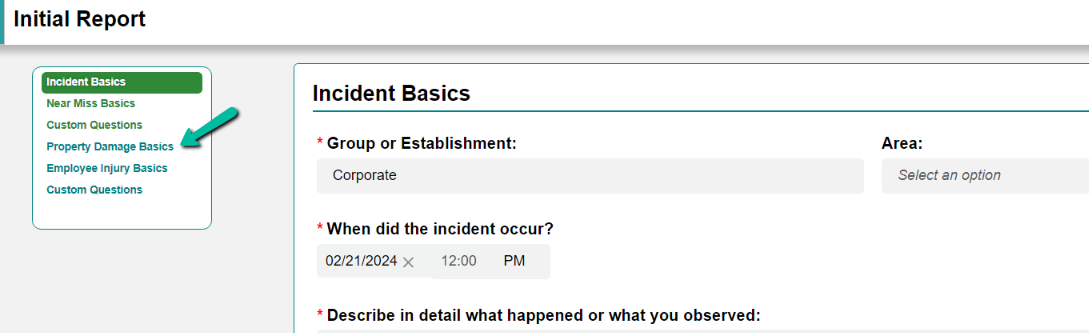
5. You are then taken back to the Initial Report, and must answer the Report Basics for each report type that you added before saving. You can select the report on the left-side menu to navigate directly to that section -- the sections in blue are newly added and need answers input:
6. Click Save when you have answered all questions in the new sections:
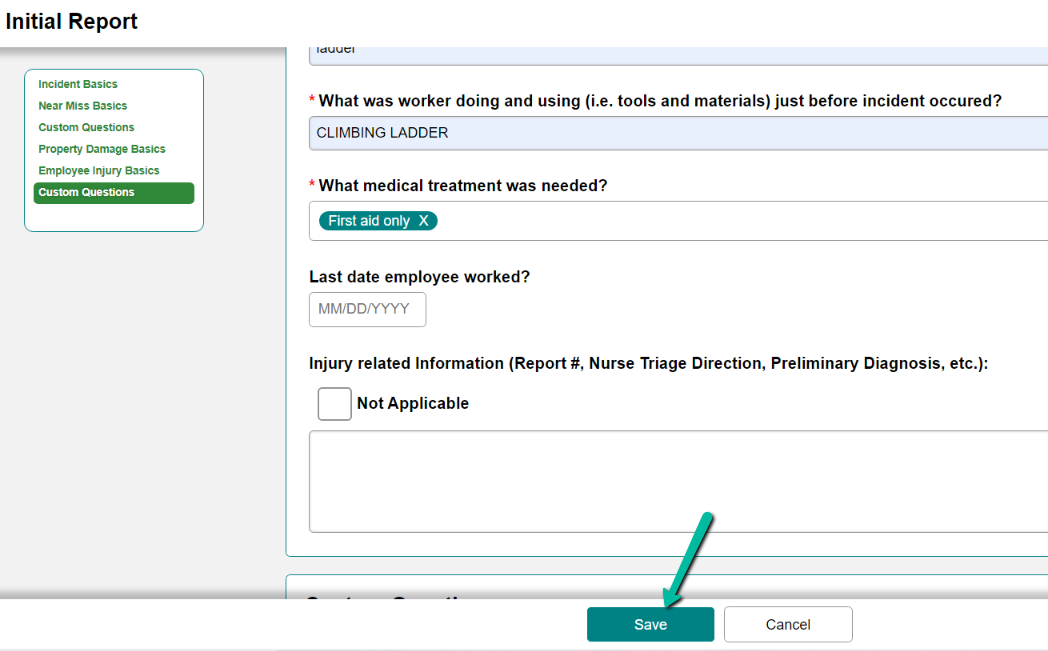
7. The incident type(s) have been added, and the remaining sections of the report will be adjusted to include information for the new reports. Ex. if you add an injury, you will now have the OSHA and Return to Work sections added.